Written by: Nuno Leiria, Founder & CEO @ Nilo
Key Takeaways
- Rosebud AI mainly gives you browser-hosted games you share with a URL, with limited desktop export on paid plans.
- Workarounds like Electron or Capacitor need real dev setup and usually create very large downloads.
- Turning Rosebud prototypes into Roblox content means rebuilding assets from scratch because collision, rigs, and clean topology are missing.
- Nilo lets you generate, clean up, rig, and export Roblox-ready 3D assets in FBX, glTF, OBJ, or STL with a few clicks.
- Start building Roblox-ready assets in Nilo’s browser editor for free.
The Post-Prototype Wall You Hit in Rosebud
You feel the frustration as soon as your prototype works. Your characters move, your mechanics feel good, and then you realize there’s no simple path to a .exe, a mobile build, or a store upload. Your momentum stalls.
If you want to move from prototype to something you can share on Roblox or publish anywhere, this gap matters a lot. That starts with knowing what you are missing in the pipeline.
- Mesh, the 3D shape of an object, made of polygons that form the surface
- Rigging, the skeleton inside a 3D model that lets it move and animate
- Topology, the way polygons are arranged so the mesh deforms cleanly and runs well
- LOD (Level of Detail), a system that lowers polygon count at a distance to keep games smooth
- Export format, the file type a 3D model uses (FBX, OBJ, glTF, STL) so other tools can read it
Rosebud AI does not give you these asset tools. It gives you a browser game. That difference explains why moving into Roblox or other engines feels so hard.
Where Rosebud Games Can Go Right Now
Rosebud AI deploys every game as a browser-based experience you share with a URL. That browser link is the main output on every plan. You currently get three main paths:
- Web link, share a URL so anyone can play in a browser with no download
- Itch.io, embed or link your browser game on itch.io for jams and casual sharing
- Code export, Rosebud AI generates games on the Phaser JavaScript framework, and you can export that code to use elsewhere
What you do not get by default is flexible native export. Rosebud AI offers Windows .exe builds and Steam exports on paid tiers but no native macOS or Android builds. Reviews describe its desktop and mobile export as mostly web focused.
On commercial rights, Rosebud AI’s free plan grants no commercial rights, while the Pro Creator plan at $19.99/month unlocks full commercial rights. Even with those rights, your main output is still a hosted browser page, not a flexible project file you can package for stores.
Manual Workarounds and Why They Feel Heavy
If you want to push a Rosebud prototype beyond the browser, you do have options, but each one adds friction.
Electron packaging turns a web game into a desktop app by bundling Chromium and Node.js with your project. That usually means downloads around 120 to 180 megabytes and idle memory use near 100 megabytes. You wrap a lightweight prototype in a very heavy shell.
Phaser setup and mobile packaging uses the fact that Rosebud outputs Phaser JavaScript. You can pair that with tools like Capacitor to reach iOS or Android. Capacitor has strong mobile support and many plugins, but setup needs real experience with build tools, app store rules, and native dev environments.
Manual optimization for Roblox becomes the toughest path. Rosebud AI’s prompt editor does not expose a full scene editor like a standard engine, so you cannot inspect collision shapes or tweak geometry. Rosebud AI lets you import custom assets such as 3D models and sprites, which means any serious rework happens in a different tool. Rosebud AI projects also hit a 2,500-line code ceiling unless you use the multifile feature, so complex games stall without manual refactoring.
Here are the usual pain points when you try to move Rosebud output into Roblox Studio:
- Missing collision data, so objects pass through each other or behave in strange ways
- Broken or absent rigs, so models cannot use Roblox animations
- Performance caps, because Roblox enforces strict polygon limits (10K–20K triangles per mesh) that browser assets rarely meet without cleanup
- No portable project file, since Rosebud AI mainly produces a hosted browser page and only offers portable Windows .exe files on paid plans, so moving to another engine usually means rebuilding
If you want a Roblox-ready asset that drops into Roblox Studio and just works, Rosebud AI does not match that job.
Create Roblox-ready meshes in Nilo without touching Blender.
Nilo’s One-Click Roblox Asset Pipeline
Nilo runs in your browser and focuses on Roblox creators from the start. You generate, clean up, rig, and export in one place without jumping between tools.

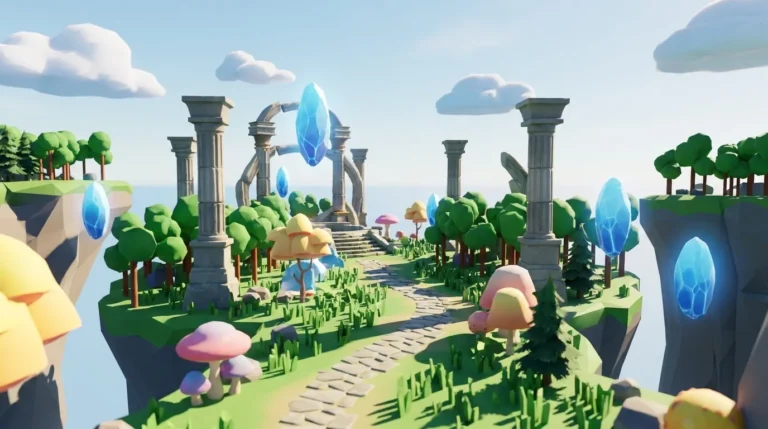
Here is how a simple example plays out. Imagine you want a glowing crystal prop for a Roblox fantasy map.
- Generate by typing a prompt like “glowing blue crystal, low poly, fantasy style,” uploading a sketch, or sending a reference image. Nilo’s model-agnostic AI layer, which uses providers such as Meshy and Tripo, returns a 3D model in seconds.
- Optimize with the LOD slider to bring the polygon count down to Roblox’s triangle cap automatically. You skip manual retopology and Blender cleanup.
- Rig with one click if the asset needs animation, such as a character, creature, or moving prop. Work that usually takes hours in pro tools happens instantly.
- Export by clicking Export and downloading a Roblox-ready FBX, glTF, OBJ, or STL file that imports cleanly into Roblox Studio.
Builders in Nilo’s February 2026 survey described the speed difference clearly: “I do not have to spend hours on 3D modeling the simplest things, now I can use Nilo and do it in 15 seconds.” Another builder said, “You can work 20 times faster than you usually work on models.” The same survey found that 93% of builders would recommend Nilo to a friend, and 82% rated their experience as “Awesome” or “Good.”

Nilo exports work with Roblox Studio, Unity, Unreal Engine, Blender, and VRChat. You can treat Nilo as your asset factory and keep building your worlds wherever you like.

Publishing, Mobile, and What You Can Monetize
When you start thinking about mobile or commercial release, your platform choice shapes what is actually possible.
Rosebud AI mainly gives you a hosted browser page, with optional Windows .exe downloads on paid plans. Common indie revenue paths like Steam, app stores, and paid downloads stay limited because Rosebud AI does not provide native app export or a flexible project file. You can share links or run ads on a hosted page, but selling a finished downloadable game is hard.
For Roblox, assets you create in Nilo belong to you. Any models, skins, or UGC items you export can go on the Roblox Marketplace, where you can monetize them. Nilo’s free tier includes 1,000 Nilo Bits per month for AI generation, and many core building tools use no Bits at all.
On Steam, Valve now requires you to declare AI-generated content in the Steam submission form, and fully prompt-generated games almost never pass Steam’s quality and discovery bar. Successful teams use AI for parts of the pipeline while staying in control. Nilo follows that pattern. You stay the builder, and AI acts as your co-pilot.
Create and monetize Roblox assets with Nilo’s free tier.
Quick Decision Checklist: Rosebud or Nilo for Your Next Step
Use this checklist to match your current goal with the right tool.
Stay in Rosebud AI if your goal is rapid browser-based prototyping without export needs:
- You want a fast browser prototype to share by link for a game jam or classroom demo.
- Your game is 2D or simple WebGL and does not need 3D meshes, rigging, or physics.
- You are testing a game mechanic and do not need to export assets or builds.
- You like working with Phaser JavaScript and plan to move the code into another tool yourself.
Switch to Nilo if you care about Roblox-ready 3D assets and clean export:
- You need a 3D prop, character, or environment that imports smoothly into Roblox Studio.
- You want FBX, glTF, OBJ, or STL export without manual retopology or Blender cleanup.
- You need rigging and animation on your model before you bring it into Roblox.
- You keep hitting Roblox’s polygon limits and want automatic LOD control.
- You prefer to build, playtest, and export in one browser flow instead of chaining tools.
- You want to sell or monetize your assets on the Roblox Marketplace.
Frequently Asked Questions
Can Rosebud AI export to Steam or desktop?
Rosebud AI mainly produces browser-hosted games on every plan. Paid plans add Windows executable and Steam exports, but you still do not get native macOS, Android, or other mobile builds. As mentioned earlier, paid plans unlock Windows .exe and Steam export, while usage limits also increase. If you need desktop or store distribution on unsupported platforms, you would rebuild your game in another engine like Godot or GDevelop, or package the Phaser code with Electron, which takes real technical setup.
Does Nilo work for Roblox specifically, or is it a general 3D tool?
Nilo focuses on Roblox creators first. Its LOD system automatically adjusts polygon counts to meet Roblox’s triangle cap, and its exports (FBX, glTF, OBJ, STL) drop straight into Roblox Studio. At the same time, Nilo exports also work with Unity, Unreal Engine, Blender, and VRChat. You can use it as a Roblox asset pipeline or as a general browser-based creation space.

Do I need to know Blender or code to use Nilo?
You do not need Blender or coding skills to start. Nilo handles retopology, rigging, and LOD optimization for you. You generate assets by typing a prompt, uploading a sketch, or sending a reference image. The built-in code editor accepts natural language, so you describe what you want and it writes working game logic in real time. Builders in Nilo’s February 2026 survey summed it up: “There are no limits on what you can create, just type, draw or add in an image and you can generate, rig, customise and place a fully 3D model within minutes.”
What file formats does Nilo export, and are they compatible with Roblox Studio?
Nilo exports FBX, OBJ, STL, and glTF files. All of them work with Roblox Studio. FBX is the usual choice for rigged characters and animated models in Roblox. glTF is a modern open format that also fits Unity, Unreal Engine, and VRChat. When you export from Nilo, the polygon count already matches Roblox’s performance requirements, so you can import without extra cleanup.

Is Nilo free to use, and what are the limits?
Nilo is free to use during open beta. The free tier includes 1,000 Nilo Bits per month, which power AI generation, export, and some creation features. Many core building tools use no Bits at all. You can earn more Bits through Nilo Rewards by inviting friends and building with the community. There is no download, no install, and no need for high-end hardware, because Nilo runs fully in your browser on desktop and mobile.
Next Steps for Faster Roblox Asset Delivery
If you already have a Rosebud AI prototype and want something real inside Roblox Studio, the path looks clear. Rosebud AI works well for quick browser concepts. It does not focus on 3D asset export, Roblox compatibility, or native distribution, and manual workarounds demand serious effort.
Nilo stands out when you want to move from idea to Roblox-ready asset without breaking your creative flow. You generate from a prompt or sketch, adjust detail with the LOD slider, rig with one click, and export a clean FBX or glTF straight into Roblox Studio. The survey results mentioned earlier back up how much this speeds up your workflow.
The fastest route from browser prototype to game-ready mesh does not run through Electron packaging and hand retopology. It runs through a tool built for Roblox asset creation from day one.
Try Nilo’s open beta and ship Roblox-ready assets from your browser.