Content

Written by: Nuno Leiria, Founder & CEO @ Nilo

Key Takeaways

  • Roblox Creator Hub on mobile lets you handle analytics, monetization, and metadata edits, but it does not replace desktop Roblox Studio for full game building.
  • Roblox Studio stays desktop-only on Windows and macOS, and unofficial mobile workarounds feel slow and unreliable for serious creation.
  • You can manage experiences and review data on mobile through the browser at create.roblox.com or the Roblox app’s Create tab.
  • Browser-based tools like Nilo let you generate, rig, refine, and export Roblox-ready 3D assets directly from your phone or tablet without installs.
  • Join Nilo’s open beta to keep creating assets on mobile and stay in your creative flow anywhere.

Why Mobile Roblox Tools Matter When You Get Ideas On the Go

You probably do not sit at a desktop all day. Ideas hit you on the bus, during lunch, or after school, and waiting until you get home kills that spark. When you can check analytics, tweak monetization, or even spin up a new asset from your phone, you keep that momentum going.

The demand for mobile-first creation tools keeps growing. Mobile games now account for over 50% of total gaming market revenue, and Generation Z, who lives on phones, strongly favors multiplayer and social games. You probably want to create those worlds, not just play them. Knowing what you can actually do on mobile right now gives you a clear starting point.

How You Can Use Roblox Creator Hub on Mobile

You can access Roblox Creator Hub on mobile, but with clear limits. Here is how to reach it.

Using a browser at create.roblox.com:

  1. Open your mobile browser. Chrome and Safari usually work best.
  2. Go to create.roblox.com.
  3. Log in with your Roblox account.
  4. Use the top menu. Home, Creations, Marketplace, and Monetization all load on mobile browsers.
  5. From there, you can open analytics dashboards, manage experience settings, and review monetization data.

Using the Roblox mobile app:

  1. Open the Roblox app on your phone or tablet.
  2. Tap the three-dot menu or your profile icon.
  3. Select Create from the bottom navigation bar.
  4. Look through your published experiences in the list that appears.
  5. Tap any experience to open its settings, description, and basic configuration options.

Builders on the Roblox DevForum report that the Creator Hub dashboard sometimes renders badly on smaller screens. UI elements can overlap or fail to load, depending on your browser version and device. Refreshing the page or switching between Chrome and Safari usually fixes those display issues.

Why Roblox Studio Still Stays on Desktop

Roblox Studio is a desktop-only application on Windows and macOS. Roblox has not released a native mobile version.

Developers who tried running Roblox Studio on Android with unofficial APK workarounds say it feels painfully slow. UI elements shrink so much that you can barely tap them, and many features fail outright. That setup does not feel practical for real projects.

Making Studio usable on mobile would mean stripping hundreds of features. You would still end up with lag and a tiny slice of what the PC version can do. Full building, scripting, testing, and publishing stay locked to desktop for now.

What Parts of a Roblox Game You Can Handle on Mobile

You can create parts of your Roblox game workflow on mobile, but not the whole thing. Here is the realistic breakdown.

Tasks you can handle on mobile: You can review and edit experience descriptions, manage access settings, check analytics and revenue, respond to community feedback, and update thumbnails or icons through the Creator Hub browser interface.

Tasks that still need a desktop: You still need Roblox Studio on desktop to build or edit 3D environments, write or edit Lua scripts, test gameplay, publish new experiences, import assets into Roblox Studio, and do anything that touches the Studio editor itself.

If you want to build a full Roblox game from scratch on mobile, current tools do not support that end-to-end. You can still handle the management layer on your phone and use a browser-based asset creation tool, covered below, to keep generating content while you are away from your desk.

How the Roblox App’s Create Tab Connects to Creator Hub

The Roblox mobile app and the browser version of Creator Hub give you different levels of control. You move between them like this.

  1. Open the Roblox app and tap the Create tab at the bottom of the screen.
  2. Look at the list of your experiences and tap one to open its management panel.
  3. Edit the title, description, genre, and privacy settings directly in the app.
  4. For deeper analytics or monetization settings, tap View in Creator Hub. That button opens create.roblox.com in your browser.
  5. Use the browser version of Creator Hub for detailed analytics and developer product management, which go beyond the in-app panel.

The in-app tools feel lighter than the browser version. When you need more than basic edits, switching to create.roblox.com in your browser gives you finer control.

What Creator Hub Lets You Manage on Mobile vs What Stays Desktop-Only

The mobile and desktop split follows a clear pattern. You can manage and monitor your experiences on mobile, but you cannot build or change the core game there. Here is how that plays out.

Management tasks you can handle on mobile:

  • Viewing experience analytics such as visits, revenue, and retention
  • Managing monetization settings and developer products
  • Editing experience metadata like title, description, genre, and age guidelines
  • Reviewing and moderating community posts
  • Browsing the Creator Hub documentation, including tutorials, scripting references, and avatar creation guides
  • Accessing the DevForum and other community resources

Creation tasks that still require desktop:

  • Opening or editing experiences in Roblox Studio
  • Building or modifying 3D environments
  • Writing or running Lua scripts
  • Importing or exporting 3D assets into Studio
  • Playtesting experiences
  • Using AI-accelerated creation tools inside Studio

The gap between these lists is big. Mobile gives you the management layer. The creation layer stays on desktop unless you bring in a different tool for assets.

Using Nilo’s Browser Workflow to Create Assets on Your Phone

That different tool is a browser-based asset creator. Nilo stands out here because it runs fully in your browser, so you do not wait for installs or downloads before you start building.

Nilo is a browser-based 3D creation platform where you can generate 3D characters, weapons, and props in seconds from sketches or text prompts. It keeps polygon counts within Roblox limits, so you can bring assets into Roblox Studio without heavy cleanup.

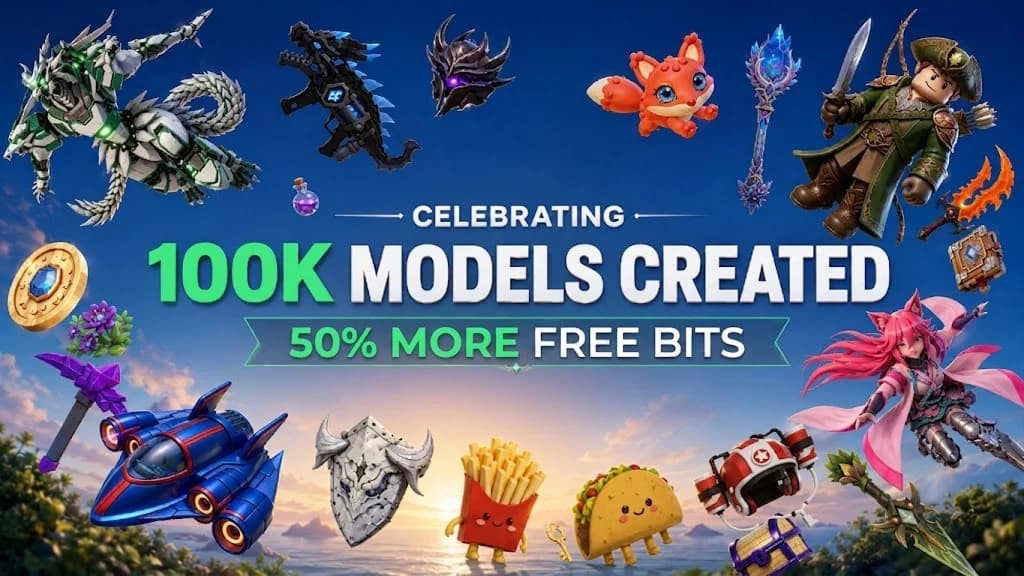
Assets generated through Nilo, a browser-based 3D creation platform built for Roblox creators and game developers

Here is how the workflow feels on your phone or tablet:

  • Generate: Type what you want, like a sci-fi weapon, a fantasy prop, or a custom character, or sketch it directly. Nilo’s model-agnostic AI layer, which uses providers such as Meshy and Tripo, creates a 3D model in seconds.
  • Optimize: Once you have your model, Nilo’s real-time retopology and level-of-detail system automatically adjusts polygon counts to match Roblox’s 10K to 20K polygon caps, so you avoid manual cleanup.
  • Rig and animate: With your optimized model ready, you rig your character with one click and generate animations by typing what you want the character to do, without needing rigging experience.
  • Export: Finally, export to FBX, OBJ, STL, or glTF with one click. Import the file into Roblox Studio when you are back at your desk, or use it in Unity, Blender, or Unreal Engine.

In Nilo’s February 2026 survey with builders, one creator described the speed jump clearly: “I do not have to spend hours on 3D modeling the simplest things. Now I can use Nilo and do it in 15 seconds.” Another said, “There are no limits on what you can create — just type, draw or add in an image and you can generate, rig, customise and place a fully 3D model within minutes.”

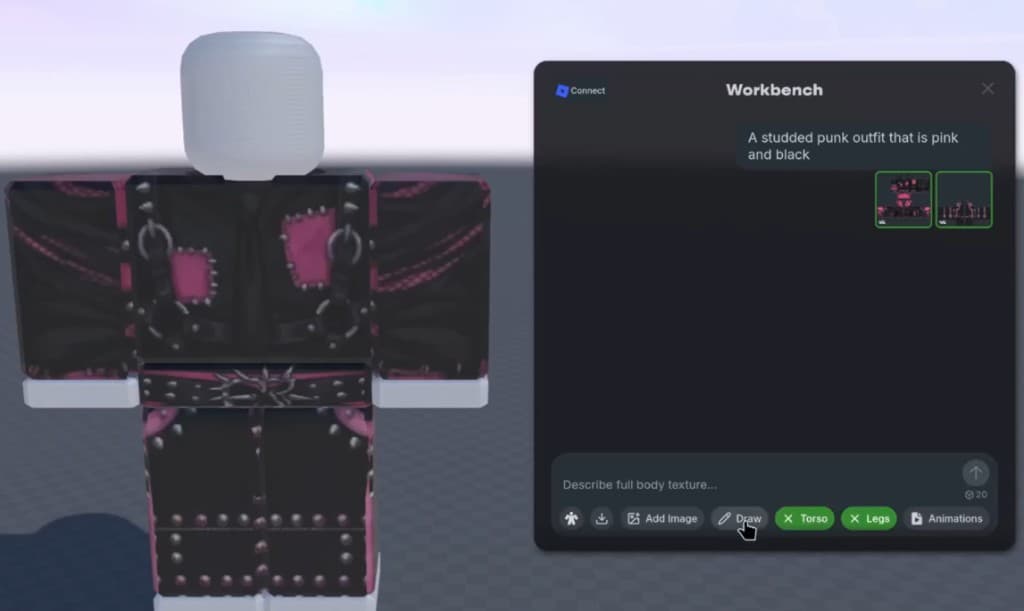
Assets and world generated through Nilo, a browser-based 3D creation platform built for Roblox creators and game developers

The single-tool workflow, where you generate, refine, rig, and export in one place, keeps you in creative flow instead of bouncing between apps. That matters most when you are on mobile without a full desktop setup.

World generated through Nilo, a browser-based 3D creation platform built for Roblox creators and game developers

Quick Fixes for Common Mobile Roblox Issues

  • Creator Hub dashboard not loading correctly: Switch browsers. Chrome and Safari usually render create.roblox.com more reliably than Firefox mobile.
  • Analytics data not showing: Force-refresh the page. Some dashboard widgets only load correctly after a full reload on mobile.
  • In-app Create tab missing: Update your Roblox app to the latest version. Older builds may hide the Create tab in the bottom navigation.
  • Cannot reach monetization settings from the app: Tap View in Creator Hub to open the full browser version, which exposes more options than the in-app panel.
  • Studio-related tasks blocked on mobile: Roblox Studio has no official mobile version, so use a browser-based workflow to keep generating assets until you get back to a desktop.
  • Exported assets breaking Roblox’s polygon limits: Nilo’s level-of-detail system handles this automatically. If you use another tool, check that your mesh stays under 20K triangles before importing into Studio.

Frequently Asked Questions

How long does asset generation take on mobile?

In Nilo, generating a 3D asset from a text prompt or sketch usually takes from a few seconds to a couple of minutes, depending on model complexity and the AI provider you pick. You can often finish the full workflow, including generation, optimization, rigging, and export, in under five minutes on a standard mobile browser. Generation time changes by provider, and Nilo’s interface lets you switch between options like Meshy and Tripo based on the speed and quality you want.

Do I need 3D modeling skills before I start using Nilo?

You do not need prior 3D modeling skills. If you can describe what you want with text, a sketch, or a reference image, Nilo can generate, rig, and animate it for you. The platform introduces real concepts like polygon counts, mesh topology, and rigging through the interface itself, so you pick up the vocabulary naturally without learning Blender or other pro tools first.

What export formats from Nilo work with Roblox?

Nilo exports to FBX, OBJ, STL, and glTF, which are all standard 3D formats that Roblox Studio accepts. FBX is the format most creators use for importing rigged and animated characters into Roblox Studio. The exported files already match Roblox’s polygon and texture requirements, so you can import them directly without extra cleanup.

When should I switch back to desktop Roblox Studio?

Switch back to desktop Roblox Studio when you need to build or edit the 3D environment, write or test Lua scripts, configure game logic, or publish a new experience. Roblox Studio stays the required tool for those steps. Nilo handles the asset creation workflow described earlier, which you can complete entirely on mobile. Once your assets are ready, importing them into Studio on desktop is a simple drag-and-drop step.

Conclusion: Keep Building From Your Phone

Roblox Creator Hub on mobile covers management tasks like analytics, monetization, and metadata, while full asset creation and game building still live on desktop through Roblox Studio. That gap affects you any time you want to stay in creative flow away from a computer.

Obby course generated through Nilo, a browser-based 3D creation platform built for Roblox creators and game developers

Nilo stands out as a practical workaround for mobile asset creation, giving you a complete workflow to generate, refine, rig, and export Roblox-ready 3D assets directly from your phone or tablet. As one Nilo Creator said in the February 2026 survey, “The sky’s the limit. Whatever you can think you can make. You don’t have to put in tons of effort.”

Characters and world generated through Nilo, a browser-based 3D creation platform built for Roblox creators and game developers

You do not have to wait until you are back at your desk to keep building.

Start building from your phone today — join Nilo’s free beta.

How To Create Your First Roblox Model

How To Create Your First Roblox Model

Skip months of Blender. Nilo lets you generate, rig, and export Roblox-ready 3D models from your browser in minutes — no installs needed. Try it free.