Written by: Nuno Leiria, Founder & CEO @ Nilo
Key Takeaways for You as a Creator
- HypeHype lets you build and publish games with visual logic nodes, so you never touch a script editor.
- The editor runs on mobile and browser with touch or mouse controls, so you can start building fast from almost anywhere.
- HypeHype focuses on 2D-leaning hosted games and does not support 3D asset export, retopology, or LOD control for Roblox.
- Nilo gives you a browser-based 3D workflow with real-time retopology, automatic LOD control, and one-click export to Roblox-ready formats.
- Start creating Roblox-ready 3D assets in Nilo’s free open beta.
How HypeHype Lets You Make Games Without Coding
HypeHype is built around the idea that you can make a game without coding at all. The platform replaces traditional scripting with a visual system of pre-built logic nodes, which act like blocks for actions such as “move,” “jump,” “collect,” or “destroy.” You connect those nodes visually instead of typing code. You end up with working game mechanics without ever opening a script editor.
This approach is often called no-code game creation, and HypeHype uses it across the entire editor. That makes the tool genuinely accessible if you want to get something playable fast, especially on a phone or tablet.
How HypeHype’s Editor Feels When You Build
HypeHype’s editor runs with touch and mouse controls. You add objects to a scene, then attach logic nodes that define how those objects behave. The node system covers common game interactions without any code. You can set up a door that opens when a player walks near it with a proximity trigger node. You can make a coin disappear when collected by connecting a collision node to a destroy action. The editor aims to feel instant and playful, where you place something and then see it work right away.
Games you create in HypeHype stay hosted and played live inside the platform. Other players can jump into your game directly, which keeps sharing simple and fast.
Where HypeHype Starts to Limit You in 2026
HypeHype’s strengths also define its limits. The platform is tuned for live, hosted 2D-leaning experiences that stay inside its own ecosystem. If you want to build a game and keep it fully within HypeHype, the workflow feels smooth. If your goal shifts toward creating 3D assets, exporting them to Roblox Studio, or building worlds with deep 3D control and custom meshes, HypeHype starts to feel restrictive.
Right now, HypeHype does not offer standalone 3D asset export. You cannot take a prop you built in HypeHype and drop it into Roblox Studio as an FBX or GLB file that is ready to go. The platform also does not include tools for retopology, LOD adjustment, or polygon count management. These features matter a lot when you build for Roblox, which caps assets at 10,000–20,000 polygons.
If you want to move from casual game creation into producing Roblox-ready content, HypeHype’s visual editor works more as a starting point than a full 3D pipeline.
When Nilo Gives You More Roblox-Ready 3D Control
Nilo stands out when your goal is to create 3D assets that behave well inside Roblox. You get clean models that import smoothly, stay within performance limits, and do not require hours in Blender to fix what an AI tool generated.
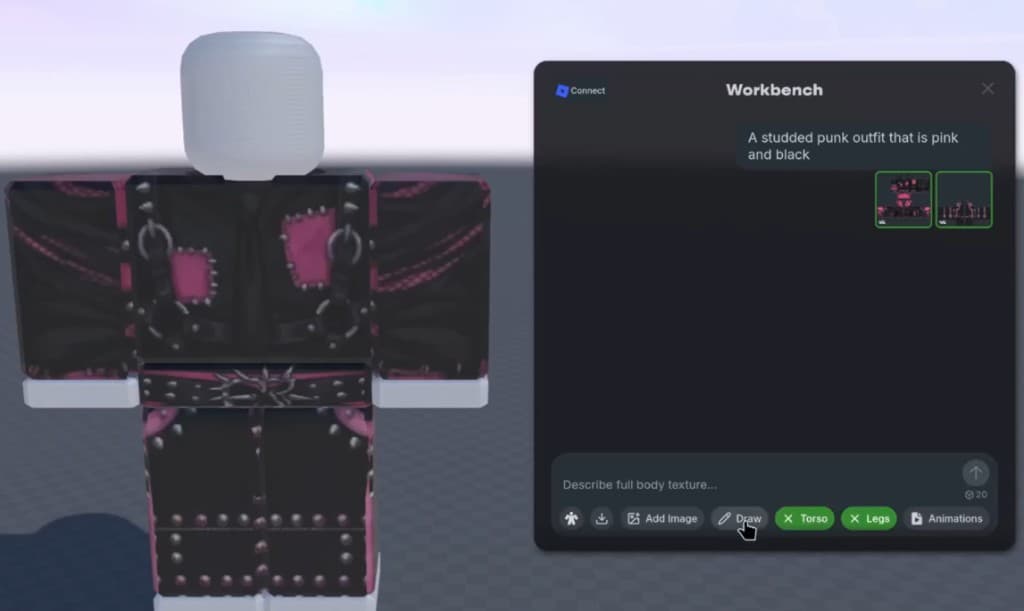
Nilo is a browser-based 3D creation platform that lets you generate characters, props, and environments from a text prompt, a sketch, or a reference image. After generation, Nilo’s real-time retopology system automatically cleans the mesh topology, which is the structure of polygons that shapes your model. This cleanup helps your asset pass Roblox performance checks without manual repair. The LOD system then adjusts polygon counts on the fly, so your asset stays inside Roblox’s limits automatically.

Nilo’s model-agnostic AI layer runs behind multiple providers including Meshy, Tripo, and Cartwheel. You do not choose models yourself. Nilo picks and switches between them so you get strong results for each asset type. As those underlying models improve, your results in Nilo improve as well.

In a February 2026 survey with builders, one Nilo creator described the speed difference clearly: “I do not have to spend hours on 3D modeling the simplest things. Now I can use Nilo and do it in 15 seconds.”
The choice between HypeHype and Nilo usually comes down to whether you want a hosted game environment or a 3D asset pipeline for Roblox. This table breaks down the technical details that matter most for that decision.
| Criteria | HypeHype | Nilo |
|---|---|---|
| Coding required | No, visual node editor | No, natural language prompts where you type, talk, or send an image to the AI |
| 3D asset depth | Limited, tuned for 2D-leaning hosted games | Full 3D for characters, props, and environments with mesh control |
| Roblox export | Not available | One-click export as FBX, OBJ, GLB, STL in Roblox-ready formats |
| Retopology | Not available | Real-time automatic mesh cleanup |
| LOD / polygon control | Not available | Built-in LOD slider that stays inside Roblox’s polygon limits |
| Collaboration | Live multiplayer play inside HypeHype | Real-time multiplayer building where you share a link and build together |
| Platform availability | Mobile-first and browser accessible | Runs in your browser on desktop and mobile, with no install |
| AI model choice | Not applicable | Model-agnostic system that switches between Meshy, Tripo, Cartwheel, and others |
Ready to see the difference? Try Nilo’s browser editor and export your first asset to Roblox.
Side-by-Side Example: Building a Wooden Crate Prop
The table shows how features compare, but the real test is how each tool handles a simple build. This example walks through the same asset on both platforms so you can feel the workflow difference in practice.
Say you want to build a wooden crate prop, which is a classic Roblox map asset. Here is how the process plays out on each platform.
On HypeHype: You open the editor and drag in a box primitive. You apply a wood texture from the library and attach any logic you want, such as making the crate destructible. The crate exists inside HypeHype’s live environment and looks fine in your game. When you want that same crate in Roblox Studio, there is no export path, so you rebuild it in another tool.
On Nilo: You type “wooden crate, worn edges, low poly” into the prompt field. Nilo generates a 3D model in seconds. Real-time retopology runs automatically, so the mesh is clean with no floating geometry or strange artifacts. You open the LOD slider and confirm the polygon count sits comfortably under the cap mentioned earlier. You click Export, download the FBX, and drag it into Roblox Studio. The crate is ready to use.

The steps you skip in Nilo are the ones that usually cost you 30 minutes or more, such as manual mesh cleanup in Blender, polygon reduction, and format conversion. As one builder put it in Nilo’s February 2026 survey, “Picture yourself, frustrated because you spent the last 5 hours 3D modeling a shipping container. All I have to do is open Nilo and do it in 20 seconds.”
If you want to go further and rig the crate, place it in a full world, or invite a friend to build with you, Nilo keeps that in the same browser tab. One builder said, “I like how it feels like a good game engine rather than a vibe coding tool, with easy building and a good focus on being able to export and import content.” (Nilo February 2026 survey)

Getting Started With HypeHype or Nilo
If HypeHype fits your goal of making a quick hosted game to share with friends inside its ecosystem, the path stays simple. You download the app or open it in your browser, where you choose either a template for faster setup or a blank project for full control. From there, the node editor lets you wire up your mechanics visually. Because HypeHype hosts everything, your game goes live as soon as you hit publish, with no extra account setup beyond a basic login.
If your goal is Roblox-ready 3D assets, or you want to build a world you can export, share, and keep improving, Nilo is worth a try. You open your browser, go to nilo.io, and start with a text prompt or a sketch. You do not download anything, install extra software, or open Blender. You can playtest your world in the browser, invite friends to build with you by sharing a link, and export your assets directly to Roblox Studio when you feel ready.
Both tools remove the coding barrier. The real difference is what you can do with your creations after the game is built.
Frequently Asked Questions
Does HypeHype require coding to make a game?
No. HypeHype uses a visual node-based editor where you connect pre-built logic blocks instead of writing code. You can build working game mechanics such as movement, collisions, collectibles, and triggers entirely by connecting nodes. This setup makes the platform accessible if you want to create a hosted game quickly without any scripting knowledge.
Can I export my HypeHype game to Roblox?
HypeHype does not currently offer standalone 3D asset export to Roblox Studio. Games you build in HypeHype stay inside HypeHype’s own platform. If your goal is to create assets for Roblox, you need a tool that exports to formats like FBX or GLB with Roblox-optimized polygon counts. Nilo exports directly to those formats and includes an automatic LOD system to keep assets inside the polygon cap mentioned earlier.
What is retopology and why does it matter for Roblox?
Retopology is the process of cleaning up a 3D model’s mesh, which is the grid of polygons that defines its shape. AI-generated models often have messy, uneven topology with too many polygons in random places, overlapping geometry, or artifacts that cause visual glitches. Roblox has strict performance limits, so a model with bad topology either fails to import correctly or causes lag in-game. Nilo handles retopology automatically in real time, so you get a clean mesh without opening Blender.
Do I need a powerful computer to use Nilo?
No. Nilo runs in your browser using WebAssembly and WebGPU, the same kind of technology that lets Figma handle complex design work in a tab. You do not need to install anything or own a high-performance PC. Nilo works on desktop and mobile browsers, so you just open the link and start building.
Can I monetize what I build with Nilo on Roblox?
Yes. Any 3D model, skin, or UGC item you create in Nilo belongs to you. You can export it, upload it to Roblox Studio, and publish or sell it on the Roblox Marketplace. Nilo does not lock your work inside a walled garden. Your creations travel with you to any platform that accepts standard 3D formats, including Roblox, Unity, Unreal Engine, and VRChat.
Is Nilo free to use?
Yes. Nilo is currently in open beta and free to join. The Starter tier includes 1,000 Nilo Bits per month, which are credits used for AI generation, export, and creation features. Many core building tools use no Bits at all. You can also earn more Bits through Nilo Rewards by referring friends and building within the community.
Join Nilo’s open beta and start building in your browser, with no Bits required to get going.