Written by: Nuno Leiria, Founder & CEO @ Nilo | Last updated: August 6, 2026
Key Things You Can Do With Vibe Coding
- Vibe coding lets you create playable 3D worlds in a real game engine using natural language prompts, with no coding required.
- Engine-first platforms like Nilo give you instant browser 3D worlds with physics, rigging, and multiplayer, while prompt-only tools feel more limited.
- Hands-on editing inside the engine keeps you in flow so you can tweak variables, test ideas, and build with friends in real time.
- High-quality 3D assets, automatic LOD, and export options make it easier to publish or monetize your work on Roblox, Unity, and other platforms.
- If you want to try this yourself, jump into Nilo and start creating in your browser →
Three Vibe Coding Platforms You Can Use Right Now
You have a few different ways to try vibe coding in 2026, and each one feels a bit different when you start building.
- Nilo, a browser-based, AI-native game engine where you type or speak what you want and see it appear in a live 3D world. Nilo’s open beta launched April 2, 2026 and is free to join at play.nilo.io. You get real physics, one-click rigging, multiplayer creation, and export to Roblox, Unity, and other platforms, all inside your browser.
- Rosebud AI, a vibe-coding, AI-native, browser-based tool focused on code generation. You describe a game and get something playable in return. Because it does not run on a custom 3D game engine, you get less depth and hands-on control than on platforms built around a dedicated engine.
- Upit, a browser-based, AI-native game creation tool with vibe-coding features. It covers similar ground to other tools but does not match the custom engine depth, full 3D asset pipeline, or social creation experience you get from a dedicated game engine.
Try the engine-first difference yourself →
What Vibe Coding Actually Produces in 2026
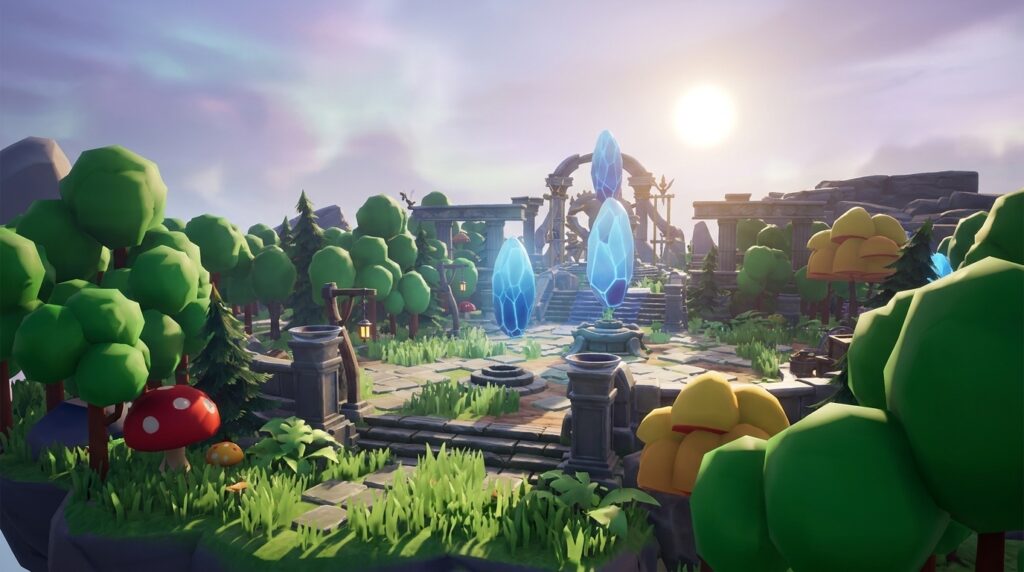
Vibe coding inside a real game engine in 2026 gives you a full world you can walk around in, not just a screenshot. You can type “a floating island with a lava cave” and see a 3D environment appear with working physics and collisions. You can then type “make the character run faster” and watch the code update in real time.
On engine-first platforms like Nilo, the output includes clean mesh topology, automatically rigged characters, AI-generated animations from text descriptions, and LOD optimization that keeps everything running fast on many devices. As one creator said in Nilo’s February 2026 survey: “There are no limits on what you can create — just type, draw or add in an image and you can generate, rig, customise and place a fully 3D model within minutes.”

Prompt-only tools like Rosebud AI still generate something playable, but iteration feels harder. When you tweak one thing, another part may break. The key difference is whether you build inside a game engine or only receive its output.
Where You Can See Vibe Coded Worlds in Action
The fastest way to understand vibe coding is to play something built with it and feel how it responds. Nilo publishes worlds in an infinite scrollable feed, similar to the Roblox experience feed, where you can click and play instantly. You do not need an account to play.

You can also explore the Nilo Discord community, which has more than 9,000 creators sharing worlds, showcasing assets, and inviting others to jump in. If you search for “Made with Nilo” on TikTok, YouTube Shorts, and Instagram Reels, you will find a steady stream of clips, with the platform generating over 1M monthly organic social views.
How to Evaluate Vibe Coding Platforms
You can compare vibe coding platforms by looking at a few practical criteria that affect how you build and share your games.
- Does it run a real game engine? Physics, collisions, and real-time interaction should work by default, not require manual setup.
- Can you play instantly in the browser? You should be able to click a link and start playing without installing anything.
- Can you tweak things hands-on? Prompt-only tools hand you a finished output, while engine-first platforms let you move objects, change variables, and iterate in real time.
- Is creation social? You should be able to share a link and build with friends right away.
- Does it export to other platforms? Roblox, Unity, and Blender compatibility matters if you want to reuse your creations elsewhere.
The table below compares how these three platforms stack up across what you get instantly, how much hands-on control you have, and where you can take your creations.
| Platform | What You Get Instantly | Hands-On Controls | Export Options |
|---|---|---|---|
| Nilo | Browser-based 3D world with real physics, AI asset generation, rigging, animation, and multiplayer | Full hands-on controls so you can move objects, edit properties, tweak code variables, and build with friends in real time | FBX, OBJ, STL, glTF, compatible with Roblox, Unity, Blender, Unreal Engine, and VRChat |
| Rosebud AI | Browser-based playable game generated from a text prompt | Limited controls, mostly prompt-driven with less in-world manipulation | Web-based output with limited standard 3D format export |
| Upit | Browser-based AI game creation with vibe-coding features | Some hands-on controls but less depth than a custom engine | Standard formats supported, with pipeline depth that varies |
Hands-On Platforms vs Prompt-Only Tools
Prompt-only tools follow a simple loop where you describe a game, the AI generates it, and you play what it made. That feels fun at first, then you want to change something, and you end up prompting again and waiting, hoping the new version does not break what already worked.
Hands-on platforms put you directly inside the engine so you can drag objects, adjust a speed variable from 2 to 20, change the sky color, invite a friend to build with you, and playtest in the same session. As one creator described it in Nilo’s February 2026 survey: “I like how it feels like a good game engine rather than a vibe coding tool, with easy building and a good focus on being able to export and import content.”

The practical difference is simple. Hands-on platforms keep you in creative flow, while prompt-only tools interrupt it.
How to Make and Share Your Own Game in Nilo
Once you understand the differences, you can try building a world yourself and share it with friends.
- Open play.nilo.io in your browser.
- Type, sketch, or upload an image to generate your first 3D object. You can start with characters, props, or environments and describe what you want.
- Use the radial menu to add more objects, adjust the sky and ground, and set up your world’s environment.
- Open the code editor and type what you want your game to do, such as “make the player jump higher,” “add a timer,” or “spawn enemies every 10 seconds.” The AI writes the code and you see the result in your world immediately.
- Tweak variables directly in the code editor, such as changing “speed = 2” to “speed = 20,” and feel how the game changes in real time.
- Share your world link with friends so they can jump in and play or build alongside you.
- Publish your world to make it public on the Nilo feed.
Start building your first world →
Quality You Can Expect From AI 3D, Plus Quick Fixes
AI-generated 3D content in 2026 looks strong overall, but you will still see rough edges sometimes. You can handle most issues with a few simple checks.
- Mesh issues: Some generated models have geometric defects or asymmetry. You can use Nilo’s LOD slider to clean up polygon counts automatically or regenerate with a more specific prompt.
- Texture inconsistency: AI textures can look unpredictable. You can switch between Nilo’s AI model providers, such as Meshy, Tripo, Cartwheel, and others, because each one has different strengths for style and quality.
- Animation quirks: If a rigged character moves strangely, check that the model was generated in a T-pose with arms out and body straight. That pose usually produces the best animation quality.
- Performance on older devices: Nilo’s real-time LOD system adjusts polygon counts on the fly so worlds stay fast on mobile browsers. If things feel slow, you can reduce object complexity using the LOD slider.
The February 2026 Nilo survey found that 82% of creators rated their experience as “Awesome” or “Good.” Most sessions feel smooth, and iteration becomes part of your normal building process.

Next Steps and Ways to Monetize Your Creations
After you build and share worlds in Nilo, you can take your work further and start turning it into income or a portfolio.
- Export to Roblox: Nilo exports Roblox-optimized assets with automatic LOD that fits Roblox’s 10K–20K polygon caps. You can upload directly to Roblox Studio and publish to the Roblox Marketplace. Any models, skins, or UGC items you create in Nilo belong to you, and Roblox pays more than $1B annually to creators.
- Export to Unity or Unreal Engine: Standard format exports work with Unity, Unreal Engine, and Blender when you want a more advanced game development pipeline.
- Publish Nilo worlds: You can share playable worlds publicly on the Nilo feed, then clone and remix other creators’ worlds to iterate faster.
- Earn Nilo Bits: Nilo’s freemium model gives you 1,000 Nilo Bits per month for AI generation. You can earn more through Nilo Rewards by referring friends and building within the community.
- Join the founding creators community: The Nilo Discord has more than 9,000 creators sharing techniques, showcasing work, and collaborating. Getting known in this community early can give you an advantage as the platform grows.
Frequently Asked Questions
Do I need to know how to code to play or build vibe coded games?
You do not need any coding knowledge to start. Vibe coding means you describe what you want in plain language by typing, talking, or sending an image, and the AI generates working code for you. On Nilo, you can also see and tweak the actual code variables, such as changing a speed value, so you learn real programming concepts at your own pace without writing code from scratch. In Nilo’s February 2026 survey, creators confirmed this approach works: “You made me enjoy vibe-coding. The code assistance works almost flawlessly.”
How long does it take to go from a prompt to a playable game?
On an engine-first platform like Nilo, you can reach a playable 3D world with physics and basic game logic within minutes of opening your browser. Generating a 3D asset usually takes from a few seconds to a couple of minutes, depending on complexity. Adding game logic through the natural language code editor feels almost instant because you type what you want and see the result in your world right away. Full game polish takes longer, but the first playable version appears quickly.
Can I play vibe coded games on my phone?
Yes. Nilo runs in your browser across desktop and mobile devices. The platform’s custom engine uses WebAssembly and WebGPU, with a WebGL fallback for older devices, so it can handle real 3D performance on many setups. You just open the link and play.
What’s the difference between Nilo and prompt-to-game tools like Rosebud AI?
Prompt-to-game tools generate a game from a text description and hand you the result. When you want to change something, you prompt again and hope the new output does not break what already worked. Nilo works as a game engine first, so you stay inside a live 3D environment where you can move objects, tweak variables, invite friends to build with you, and playtest in the same session. The AI acts like a co-pilot instead of a vending machine. As one creator put it: “A good spread of features. Feeling like a proper engine unlike others banking on AI where creator freedom just doesn’t exist.”
Can I export what I build in Nilo to Roblox or other platforms?
Yes. Nilo exports to standard 3D formats compatible with the platforms listed in the comparison table above. Nilo’s LOD system automatically optimizes polygon counts to meet Roblox’s strict 10K–20K caps so your assets import cleanly without manual cleanup. You can use Nilo as your full creation pipeline or as an asset generation tool for other platforms. Everything you create is yours to publish and monetize.



