Written by: Nuno Leiria, Founder & CEO @ Nilo | Last updated: August 8, 2026
Key Things You Can Do With Vibe Coding in Nilo
- Vibe coding lets you describe Roblox-style game objects in plain English or sketches so AI instantly builds them in a browser-based 3D engine without Lua or Blender.
- The complete workflow runs through five steps: open Nilo, describe your scene, refine with LOD and rigging, playtest via shareable link, then export optimized FBX or glTF to Roblox Studio.
- Nilo keeps the whole creation process inside one browser tab, which helps you avoid scripting walls, tool hopping, and burnout.
- Free Starter tier users get 1,000 Nilo Bits monthly plus core features at no cost, so you can create pro-level assets without spending money.
- Ready to start building your first world? Start building your first Roblox-style world in Nilo’s open beta — no installation required.
Why Most Roblox Projects Stall Before They Ship
Most Roblox projects never reach a public release because three specific problems keep blocking you.
Scripting walls. Roblox Studio uses real Lua and has no built-in version control workflow, so you face a full programming stack instead of a simple block system. If you cannot script yet, you either wait for a scripter partner or pause your idea indefinitely.
Tool fragmentation. A typical Roblox asset pipeline looks like this: generate in Meshy, clean up in Blender, rig manually, import into Roblox Studio, fix import errors, repeat. Every tool switch breaks your flow. As one builder said in Nilo’s February 2026 survey, “Picture yourself, frustrated because you spent the last 5 hours 3D modeling a shipping container. All I have to do is open Nilo and do it in 20 seconds.”
Burnout. Long cycles drain your motivation. You start excited, hit a technical wall, lose weeks to cleanup and debugging, then drop the project. Nilo’s single-tab workflow of generate, optimize, rig, playtest, and export shortens that timeline so you can ship before burnout hits. The impact is measurable: in Nilo’s February 2026 survey, 72% of builders said Nilo makes their creative process easier by “a lot.”
Vibe coding in Nilo tackles these three problems directly by keeping you in one place, speaking naturally, and seeing results fast.
How to Vibe Code on Roblox With Nilo’s Five-Step Flow
You can move from idea to a playable Roblox-ready world in five clear steps inside Nilo.

- Open Nilo in any browser. Go to play.nilo.io on desktop or mobile, with no installation and only a quick free sign-up. The page loads you straight into a live 3D engine, so you can start building right away.
- Describe your scene with natural language prompts. Natural language prompts let you create 3D games by talking, texting, or sending images to the AI. Type “a glowing neon hangout room with floating platforms,” sketch a rough shape, or drop in a reference image. Nilo’s model-agnostic AI layer, which can use providers like Meshy, Tripo, and Cartwheel, generates a 3D asset in seconds. One builder in Nilo’s February 2026 survey said, “I do not have to spend hours on 3D modeling the simplest things — now I can use Nilo and do it in 15 seconds.”
- Refine with the level-of-detail slider and one-click rigging. The LOD (level of detail) slider adjusts polygon count, which is the number of triangles in a mesh, in real time. This keeps your asset under Roblox’s strict 10K–20K triangle cap automatically. Once your mesh is optimized, you can prepare it for animation. For characters, one-click rigging attaches a skeleton so the model can move, which removes manual weight-painting and the usual Blender detours.
- Playtest with friends via shareable link. Share a URL and your friends can jump into your world on desktop or mobile to build and play with you in real time. You can test collisions, physics, and game feel before you even open Roblox Studio.
- Export optimized FBX or glTF directly to Roblox Studio. Click Export, download your Roblox-ready file, and import it into Roblox Studio. Nilo optimizes polycount so models work directly in Roblox Studio and other platforms without extra steps. The LOD system mentioned earlier keeps your export within Roblox’s polygon caps automatically.
Try this five-step workflow yourself in Nilo’s free open beta.
What the Vibe Code Trend Actually Changes for You
Vibe coding shifts you from writing code line by line to describing what you want in plain language while AI handles the technical work. For Roblox builders like you, this changes how fast ideas become playable.
Roblox Studio uses real Lua scripting instead of a simplified block system, so anyone who wants interactive gameplay has to learn a professional language. That creates a steep wall when you have strong spatial ideas but no scripting background.
Experienced Roblox developers on the DevForum say the main barrier after syntax is system design, including client-server networking, ModuleScripts, and RemoteEvents. That can mean years of learning before your game idea feels real.
Vibe coding removes that barrier for many projects. You describe behaviors in English instead of learning Lua. You describe what should happen when a player touches a platform instead of debugging RemoteEvents. The AI writes the logic, and you stay focused on creative choices.
How to Access Vibe Coding Without Paying
You can try vibe coding in Nilo for free using the Starter tier. This plan includes 1,000 Nilo Bits per month, which power AI generation, and many core building features do not use Bits at all.
You only need a browser and a free account. You can generate assets, rig characters, playtest with friends, and export to Roblox Studio without spending money. If you want more generation capacity, Builder and Pro tiers add extra Bits and access to newer, higher-quality models. You can also earn more Bits through Nilo Rewards by referring friends and building with the community.
How Nilo Fits Into a Roblox Game Workflow
You can absolutely vibe code assets for a Roblox game, and the path stays simple. You start with a text prompt, sketch, or image in Nilo. The AI generates a 3D asset. You refine the polygon count with the LOD slider, rig a character with one click, and generate an animation by typing what you want the character to do. Then you export as FBX or glTF and import directly into Roblox Studio.

The pipeline supports Roblox’s specific needs. Nilo is a browser-based 3D creation platform that lets you generate 3D characters, weapons, and pro-level props in seconds through sketching or prompting. The LOD system mentioned in the workflow keeps your export within Roblox’s polygon caps automatically, so you avoid manual mesh cleanup and retopology passes in Blender.
Nilo does not replace Roblox. It acts as a Roblox workflow accelerator. You still publish and monetize inside Roblox, and Nilo helps you reach that point faster with less friction.
Vibe Code Prompt Ideas You Can Paste Into Nilo
Clear prompts give you better results, so you should be specific about style and purpose. These five prompts match popular Roblox vibes and produce rigged, Roblox-ready assets in minutes.
- Neon hangout room: “A glowing neon lounge with floating platforms, purple and cyan lighting, and a holographic DJ booth” creates a stylized environment prop set for a hangout or roleplay world.
- Obby starter: “A set of colorful obstacle course platforms with spinning blades and bounce pads, low-poly cartoon style” generates modular obby pieces tuned for Roblox’s polygon limits.
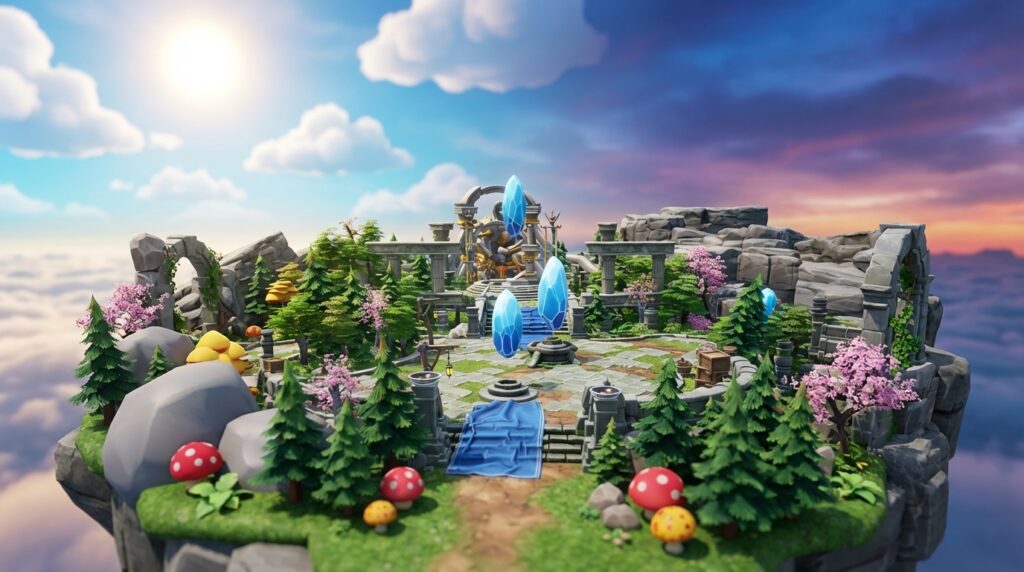
- Floating island: “A mossy floating island with waterfalls, glowing crystals, and a wooden bridge, fantasy aesthetic” produces a hero environment asset with clean topology for direct export.
- Retro arcade: “A retro arcade cabinet with pixel art screen, neon trim, and joystick, 80s style” generates a detailed prop that fits tycoon and hangout game aesthetics.
- Horror lobby: “A dark abandoned mansion entrance with cracked walls, flickering lanterns, and fog, horror game style” creates an atmospheric environment set for horror or mystery games.
After generating, you can use the LOD slider to hit your polygon target, rig any characters with one click, and export. The whole loop from prompt to Roblox-ready file takes minutes, not hours.

Test these prompts in Nilo’s open beta and watch your ideas turn into playable worlds in minutes.
Troubleshooting Common Vibe-Coding Issues
Even with a smooth workflow, you will sometimes hit friction. You can spot and fix these four common issues quickly once you know what to look for.
- Messy AI meshes. Early sign: the generated model looks “melted” or has strange geometry. Likely cause: the prompt was vague or the AI model you chose favors speed over quality. Fix: switch AI providers inside Nilo, add more descriptive detail to your prompt, or use the sketch-to-3D pipeline so the AI has a clearer shape.
- Prompt ambiguity. Early sign: the output feels nothing like what you imagined. Likely cause: effective prompts name style, core elements, and visual direction while staying specific about form. Fix: describe shape, style, color palette, and intended use in one clear sentence before you generate.
- Export polygon limits. Early sign: Roblox Studio rejects your import or the asset lags badly. Likely cause: the mesh exceeds Roblox’s triangle cap, which is the 10K–20K limit covered earlier. Fix: drag the LOD slider left in Nilo before exporting. The real-time retopology system simplifies mesh topology automatically, so you avoid manual cleanup.
- Collaboration lag. Early sign: friends who join your world see delayed updates. Likely cause: browser-based 3D environments slow down when asset bundles get large. Fix: keep assets lean with the LOD system and delete unused generated objects before you invite collaborators.
How to Know Your First Vibe-Coded World Is Ready
You can use this checklist to see whether your first vibe-coded world is truly ready for the next step.
- Asset generation time dropped from hours to minutes compared to your old workflow.
- Exported files stay under 20,000 triangles and import into Roblox Studio without errors.
- At least one friend playtested your world via shareable link and could explore it without issues.
- You completed the full loop of prompt, refine, rig, playtest, and export in a single session without switching tools.
- Revision cycles got shorter because you iterated on the asset inside Nilo instead of re-importing from Blender.
If you hit all five, you have a working vibe-coding workflow. Your next move is to build more complex scenes, try Nilo’s natural language code editor for behaviors, and share your world with the Nilo community.
Conclusion: Your Roblox Ideas With a Lighter Workflow
Vibe coding Roblox style gives you a different way to build, not just a shortcut. You skip weeks of Lua practice, Blender retopology, and tool chains, and instead describe what you want while you iterate in real time inside a browser-based 3D engine. The scripting wall, tool fragmentation, and burnout all shrink when your workflow lives in one tab.
Nilo stands out here because it behaves like a game engine first, not only a prompt-to-game wrapper. You build inside a live 3D environment, place objects with your hands, playtest with friends, and export assets that pass Roblox’s performance checks. One builder in Nilo’s February 2026 survey said, “I like how it feels like a good game engine rather than a vibe coding tool, with easy building and a good focus on being able to export and import content.”
Open Nilo, paste one of the prompts above, and share your first vibe-coded world. Your ideas deserve tools that match your creativity instead of blocking it.
Open Nilo’s beta, paste one of the prompts above, and share your first vibe-coded world.
Frequently Asked Questions
Do I need to know Lua or any scripting language to vibe code in Nilo?
You do not need any scripting knowledge to start. Nilo’s built-in code editor accepts natural language prompts in any language, such as English or Spanish, and generates working game logic instantly. You describe what you want to happen, like “when a player touches this platform, launch them upward,” and the AI writes the code. You can still see and adjust the real variables in the editor, such as changing “speed = 2” to “speed = 20,” which helps you learn programming concepts without writing code from scratch. You avoid Lua syntax errors and do not have to wait for a scripter.
How does Nilo handle Roblox’s polygon limits automatically?
Roblox caps imported assets at roughly 10,000 to 20,000 triangles, which are the flat surfaces that form a 3D mesh. If you exceed that limit, you get import errors or heavy lag. Nilo’s real-time LOD system adjusts polygon count on the fly with a slider. When you drag it left, the mesh simplifies automatically and stays within Roblox’s requirements. You avoid manual retopology in Blender or other tools, and your exported file arrives already tuned for Roblox Studio.
How is Nilo different from prompt-to-game tools like Rosebud AI?
Rosebud AI generates a full game from a text prompt, and the main interaction happens during that generation step. When you want changes, you keep re-prompting and waiting instead of building hands-on. Nilo works as a game engine first. You stand inside a live 3D environment, place objects, adjust properties, playtest with friends in real time, and iterate immediately. AI acts as your co-pilot instead of replacing your decisions. You keep precise control over each asset through the LOD slider, one-click rigging, and multimodal input, so you shape what is in your head instead of accepting the first AI result.
Can I use assets I make in Nilo commercially on Roblox?
Yes. Any models, skins, or UGC items you create in Nilo belong to you. You can publish them to the Roblox Marketplace, use them in games you monetize, or sell them as UGC accessories. Nilo does not lock your work inside a walled garden. You can also export to other platforms such as Unity, Unreal Engine, and VRChat.
What if my generated asset looks wrong or “melted”?
AI-generated 3D assets sometimes show geometric defects, asymmetry, or odd textures, especially when your prompt stays vague. The strongest fix is to add specific detail to your prompt and clearly describe shape, style, color palette, and intended use. You can also switch between AI model providers inside Nilo, including Meshy, Tripo, and Cartwheel, to find output that matches your vision. If text prompts still feel off, try the sketch-to-3D pipeline, where you draw a rough 2D shape, refine it with AI, and drag it into your 3D world. Multiple regeneration attempts are normal, and Nilo’s model-agnostic setup keeps your options open without leaving the platform.



